Services Step Model
The services are offerings of a company or catalog of available appointment pr meeting types. The service is a required field when booking an appointment and offers the most flexibility in booking logic and appointment settings. A service can be:
- A primary offering and relies on the employee availability for booking.
- An event - relies on a set schedule that occurs at specific dates and times. This can be a single occurring event like a conference, or a recurring time, for example, mornings only on specific days. set_schedule=true
- An add-on or sub-service to a service is an additional service the client can opt to add during booking. This adds additional time to the appointment duration. is_subservice=true
Add-on Requirements
Services can be configured to require at least one add-on (sub-service) selection during booking using the require_addon field. When require_addon=1 is set and the service has linked add-ons, the booking will fail if no add-on is selected.
The require_addon setting can be configured:
- Globally: Set in
widget_settingsto apply as default for all services - Per-service: Set on individual services when
active_rules=1to override the global default
This step type fetches the services that you've added to your business profile in your Setster account.
{
  "services_step": {
    "title": "Services",
    "dialogue_title": "Select a service",
    "type": "booking",
    "model": "services",
    "style": "modern",
    "disable_images": false
  }
}
Default Service
Using the service id retrieved from either the Setster Dashboard > Services or the Setster API you can set the default_service property under the settings file.
{
  "steps": {...},
  "flow": {...},
  "default_service": 1234
}
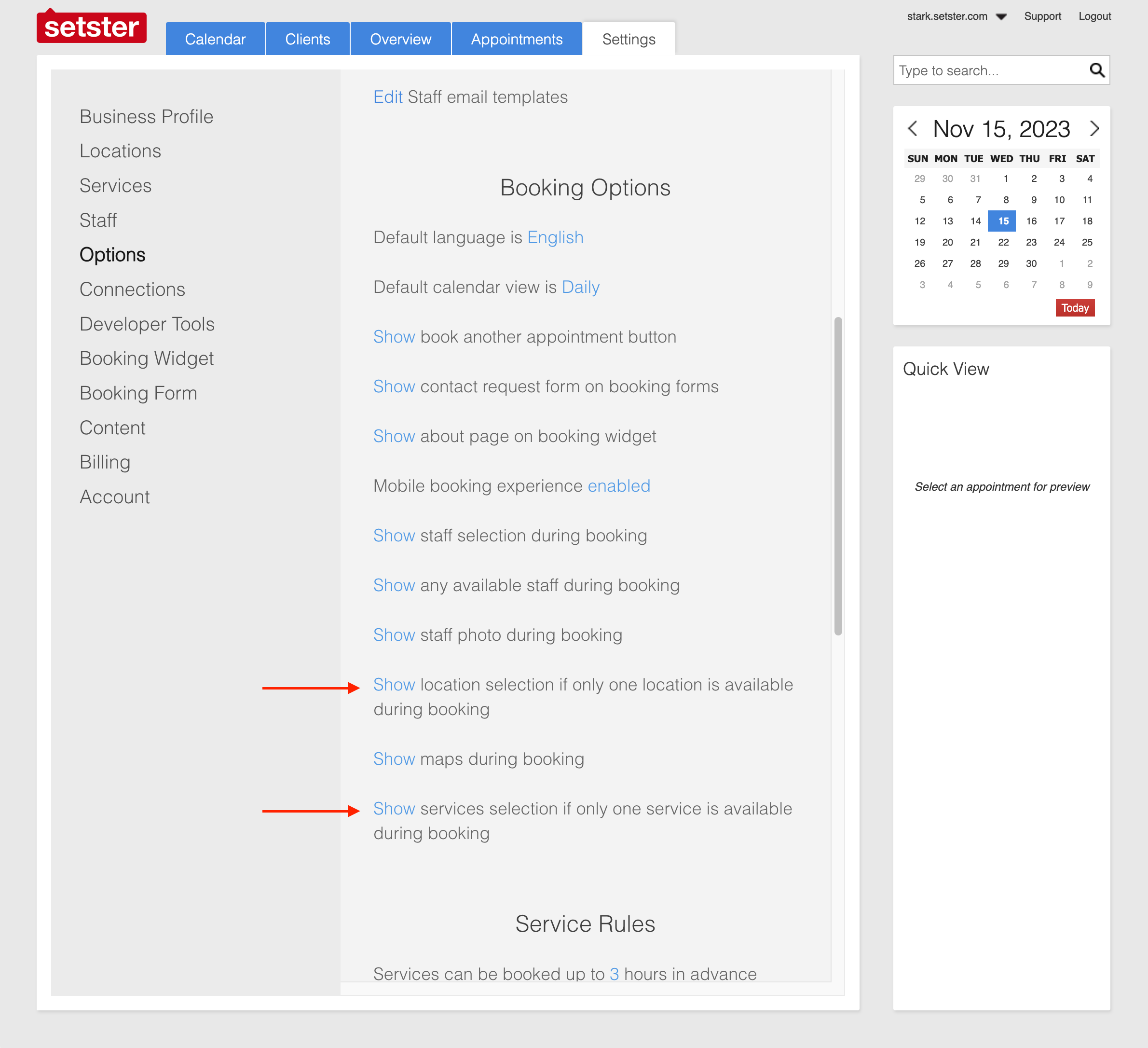
Hide Single Service
If there is only one service available, you have the option to hide the step by modifying the settings in the Setster dashboard.
Schema Overview
Full Schema
Example
| model required | string Value: "services" |
| type required | string Value: "booking" |
| layout | string (ListLayout) Value: "list" |
| style | string (AppState.IListItemsLayout) Enum: "classic" "modern" |
| step_sub_items_subtitle | string The subtitle that's shown below the title for sub-service lists. Only used for the booking services model for services that have sub-services (aka addons). |
| step_sub_items_title | string The main title on sub-service lists. Only used for the booking services model for services that have sub-services (aka addons). |
| single_sub_item_select | boolean Limits the number of items or subservices users can select from a sublist of services for the services booking model to one. |
| autoselect_single_subitem | boolean Only used for the booking services model. If set to true it will skip the sub-services selection step if there is only one available. |
| dialogue_title | string The dialogue title is the instructions or question text content for a given step. |
| dialogue_instructions | string |
| disable_images | boolean Hides images from appointment related lists of options that are pulled from the Setster API automatically. |
| title | string The title of the step which is the first text content on the top of the step view. The title should describe the current step in a short and concise way. |
| can_skip | boolean When set to false the step is required to be answered before moving on to the next step. When set to true the user can skip answering the step. |
| class | string Adds a custom CSS class name to the step to allow for easy CSS selection and modifications at the step level. |
{- "services_step": {
- "title": "Services Step",
- "dialogue_title": "Step Dialogue Instructions",
- "type": "booking",
- "model": "services",
- "style": "classic"
}
}Subservices
Services can have sub-services (add-ons in the Setster Dashboard). These are configurable from the dashboard or API. When a user selects a service with sub-services from the list of services in a studio embed, the app automatically lists the subsurface options when the user navigates to the next step. There are a handful of configurable properties unique to sub-services:
Related API Endpoint
Setster Studio handles all of the Setster API configurations in the background. For more advanced functionality see the API.