Create Account
Before getting started with Setster Studio, you'll need to create a Setster account.
Confirm Email
In order to start using your new Setster account, you'll need to confirm your email by clicking the link provided after creating a new account.
Configure Appointment Booking
In the new account onboarding, we'll walk you through adding the essential details about your business, business locations, services, and staff. These business details are the building blocks for developing a custom booking or lead capture experience and are a core tenet of the Setster.
Details surrounding the structure and types of data that Setster can store for your business alongside appointments is outlined in the API Models Documentation. With Setster Studio, you'll be able to append virtually any type of additional data to the appointment being booked.
Dashboard Configs
Navigate to the settings for the Setster Studio alpha in the dashboard under Settings > Developer Tools > Setster Studio Alpha after logging in to your account and scrolling down to the Studio section.
Set Embed Url
Add the URL you intend to publish your embed to. This will ensure that the automated appointment emails sent to your clients and employees are linked to the correct page for canceling and rescheduling appointments.
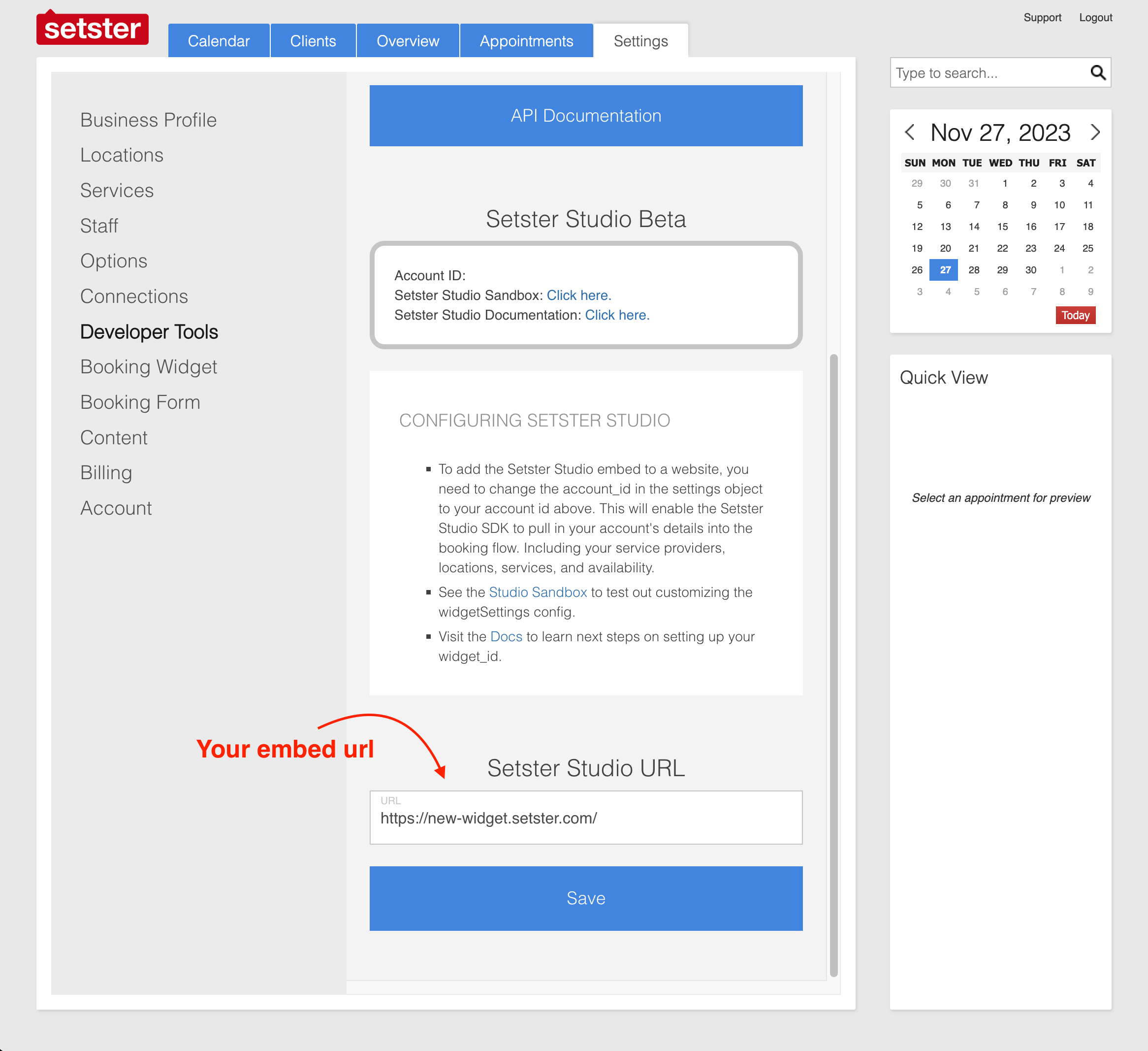
Keep in mind that during the alpha and alpha phase of Setster Studio, you can only have one embed url, and consequently, one embedded Setster Studio app.
Find Your Account ID
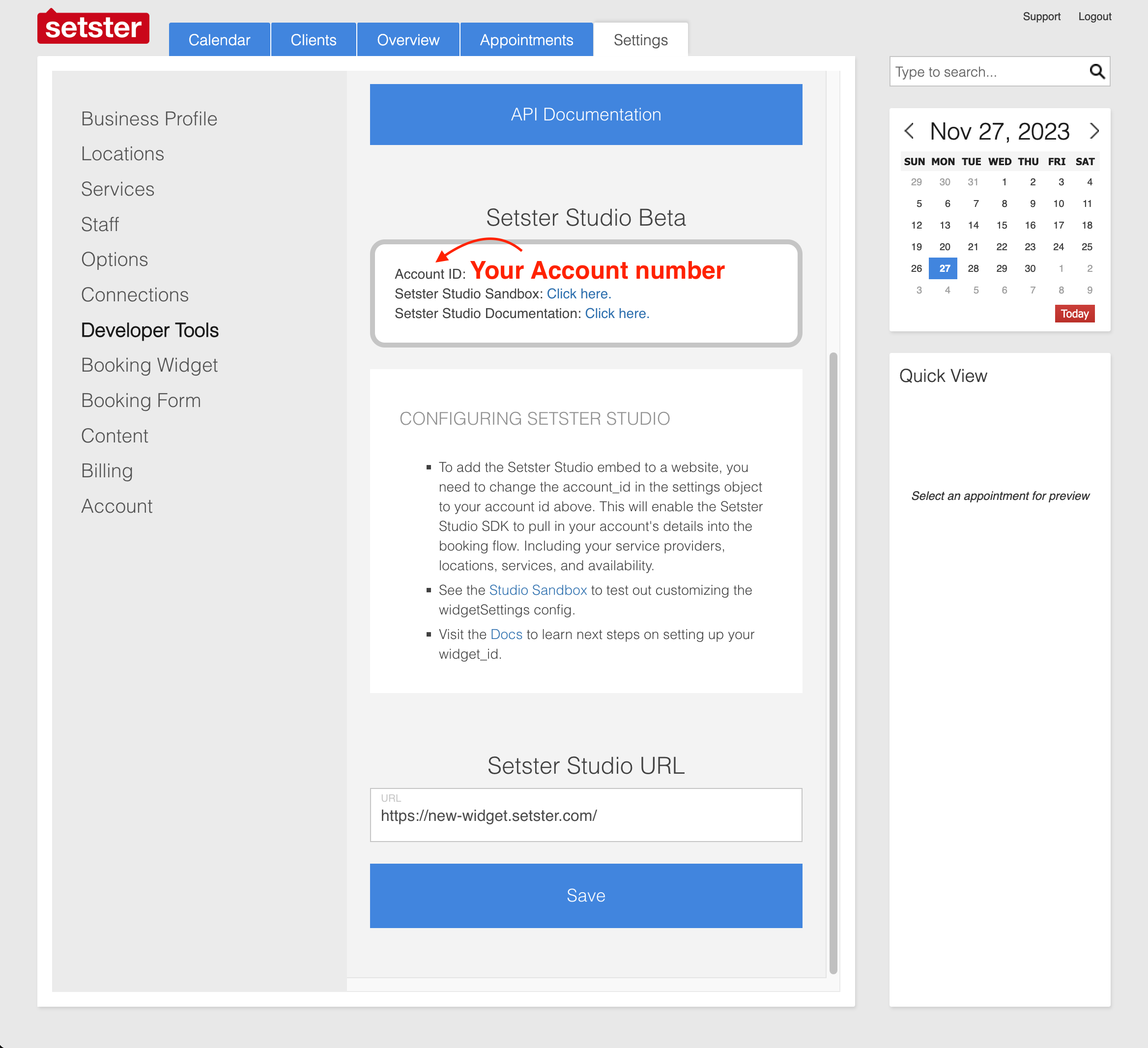
In order to use the Setster Studio, you must have a Setster account ID, which you should have already created above.
You can find your account ID, a short series of numbers, in the Sester dashboard under Settings > Developer Tools > Setster Studio Alpha or Settings > Business Profile.
This account ID enables your Setster Studio embed to connect to your account's settings, including your services, staff, and locations.
You'll need this ID to configure your embed settings in the Quick Start guide.